GIVE US A CALL! 1 (800) 363-ALARM (2527)
Free Shipping On Most Orders Over $250 - Some Exclusions Apply

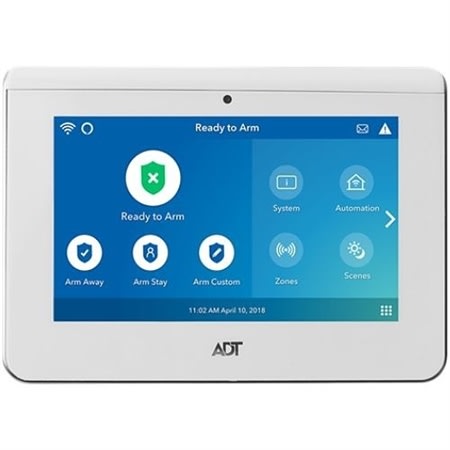
Arm & Disarm
Battery Change Video
Bypass Protected Areas
Chimes & Voice Announcements
Dark Mode
Disable Panel Camera
Home Screen
Live Video Streaming
Quiet Mode
Reset
Security Codes
Trouble Conditions
FAQ
Arming and disarming your system with the touchscreen, including setting up custom scenarios, is easy. Follow these steps for the different options:
Arm Away
At this point, the countdown for you to exit before your system arms will start. NOTE: You can only do silent arming from the ADT Control app, not the panel or accessories.
Arm Stay
Night Stay
Night Stay can arm your exterior doors and windows to instant status. So, if someone opens one of them, the alarm will sound without any delay.
Arm Custom
Arming Custom allows you to bypass up to five of your system???s sensors. For instance, if you want to keep your back door open to let your dog have access to the back yard, you can bypass that sensor. Here is how to customize:
Disarming Your Panel
To use Quick Exit when your panel is in Arm Stay and you need to leave quickly without fully disarming your system, simply tap Quick Exit. You will not need to enter a code.
For instructions on replacing your battery, please watch the video below or visit Battery Replacement Instructions for the ADT Command Touchscreen Panel. The ADT Command 7" Touchscreen operates on a 3.6 or 4.2V 7500mAh battery pack.