GIVE US A CALL! 1 (800) 363-ALARM (2527)
Free Shipping On Most Orders Over $250 - Some Exclusions Apply

Complete an intrusion alarm installation with compatible control panels, zone expanders, window and door contacts, PIR motion sensors, glassbreak detectors, shock and sound sensors, security keypads, wireless receivers, alarm communicators, and other intrusion security products.


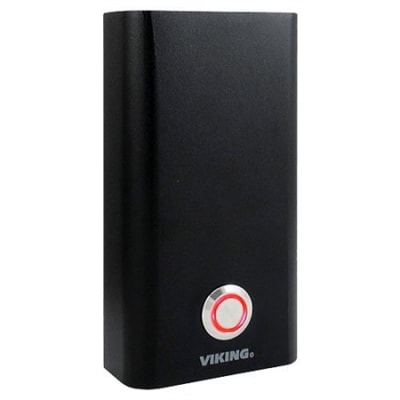





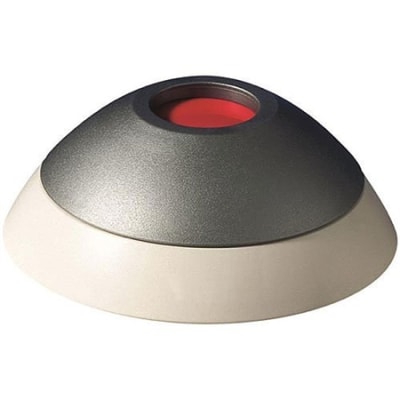
Shop hold-up and panic buttons for intrusion alarm and security systems. Hold-up switches and panic buttons provide a dedicated way to initiate an alarm signal when immediate notification is required. Choose from hardwired hold-up switches, wired panic buttons, wireless panic buttons, silent hold-up devices, and other compatible security panic devices for professional alarm installations.
JBJ Supply offers hold-up and panic products from leading security manufacturers, including solutions designed for commercial security systems, cash-handling areas, retail environments, financial facilities, and other applications requiring dedicated alarm activation.
Hold-up switches are dedicated alarm activation devices designed to send an alarm signal to a compatible intrusion control panel. They can be installed in locations where a discreet or readily accessible alarm activation device is required.
Resideo offers hold-up devices in hardwired and V-Plex versions, including models designed for discreet installation and commercial applications. Its 269R and 270R hold-up switches are specifically described for applications such as banks, retail establishments, and other locations requiring hold-up notification.
Panic buttons provide a dedicated alarm input for activating a compatible security system. Depending on the model, a panic button may be wired directly to an alarm panel or communicate wirelessly through a compatible receiver or security platform.
DSC offers personal panic products such as the WS4938 1-Button Personal Panic, which uses a large activation button and supervised wireless communication. DSC also offers PowerG panic products, including the PG9938 Wireless PowerG Panic Key.
Wired hold-up buttons connect directly to compatible intrusion alarm inputs. Hardwired devices can be useful in commercial installations where a permanent wired connection is preferred and appropriate cabling is available.
Hardwired hold-up switches are available in different housing and installation configurations. For example, the Resideo 269R is a hardwired hold-up switch with a stainless steel cover, while the 270R uses a plastic case.
Wireless panic buttons communicate with a compatible security system using the manufacturer's wireless technology. Wireless devices can simplify installation where running dedicated wiring to the panic device is impractical or where the application requires a portable or remotely positioned activation device.
DSC's wireless panic product family includes the WS4938 1-Button Personal Panic and PowerG panic keys. The WS4938 includes an integrated LED, water-resistant construction, a neck strap and belt clip, and supervised wireless operation.
Silent hold-up switches are designed to generate a hold-up alarm without relying on a local audible alarm from the activation device itself. This type of device can be appropriate for security applications where discreet alarm notification is an important system requirement.
Resideo specifically describes its hold-up devices as being designed for silent operation and offers multiple configurations, including hardwired and V-Plex versions.
Commercial panic buttons and hold-up switches are commonly used in locations where personnel need a dedicated method of activating a security alarm. Applications can include financial facilities, retail locations, cash-handling areas, reception areas, offices, and other commercial environments.
Depending on the installation, a hold-up device may be positioned beneath a counter, near a cash register, at a workstation, on a wall, or in another location selected by the security system designer or installer.
Hold-up devices can be installed near cash registers, counters, desks, or other designated locations where a discreet alarm activation point is required. Resideo's hold-up and panic product category specifically identifies devices designed for installation into cash registers and floors and activation by hand or foot.
Always select the device and mounting configuration according to the requirements of the specific security system and installation.
When selecting a hold-up switch or panic button, verify the following:
Compatibility is especially important when selecting a panic button or hold-up switch. Wired devices must match the available alarm input and electrical configuration, while wireless products must use a wireless technology supported by the compatible security system.
Some manufacturers also offer dedicated addressable or proprietary devices. For example, Resideo offers V-Plex hold-up devices, while DSC offers PowerG panic products designed for compatible DSC systems.
Hold-up and panic devices can be used as dedicated alarm activation points in commercial and professional security installations. Depending on the product, applications may include banks, retail locations, cash-handling areas, offices, reception areas, workstations, and other facilities where a dedicated alarm activation device is required.
The appropriate device should be selected according to the security system design, alarm panel compatibility, installation environment, and applicable requirements.
A hold-up button is a dedicated security alarm activation device used to send a hold-up alarm signal to a compatible intrusion alarm system.
A panic button is a device that allows a user to manually activate a compatible alarm or emergency input. Panic buttons can be wired or wireless depending on the security system.
Both are dedicated alarm activation devices, but terminology and system programming vary by manufacturer and application. Hold-up switches are commonly associated with commercial security and discreet alarm activation, while panic buttons may include fixed or portable personal alarm devices.
Both types are available. Resideo offers wired and V-Plex hold-up devices, while DSC offers wireless personal panic and PowerG panic products.
Not necessarily. Wired panic buttons must be compatible with the alarm input configuration, while wireless devices generally require a compatible receiver and security platform. Always verify compatibility with the exact control panel.
Some wireless panic buttons provide supervised communication. For example, DSC identifies the WS4938 as a supervised wireless personal panic device. Always check the specifications for the exact model.
Installation locations vary by application and device. Hold-up switches may be installed beneath counters, near cash registers, at workstations, or in other discreet locations selected for the security system.
Complete an intrusion alarm installation with compatible control panels, zone expanders, window and door contacts, PIR motion sensors, glassbreak detectors, shock and sound sensors, security keypads, wireless receivers, alarm communicators, and other intrusion security products.